Early access

Veya

The AI-native workspace that thinks on your machine. Talk to it, and it does what you imagine.

What it does
Reads your email and writes the replies. Writes the doc, the sheet, the deck, and publishes it.
Private by design
It knows you, and no one else has to. Runs fully local, or through Vera on any cloud.
For macOS, Windows and Linux. We use it to run Sozenta every day.
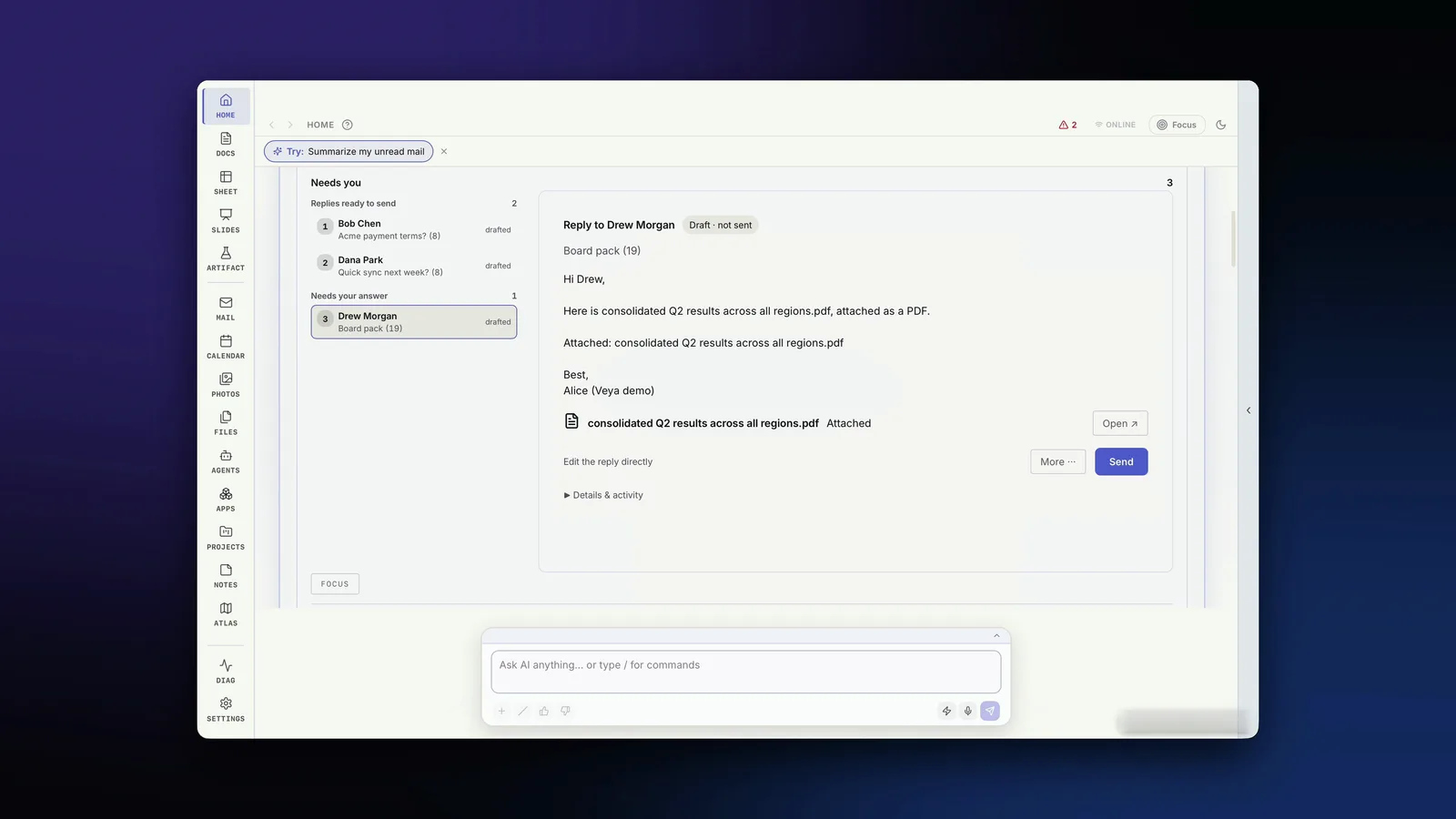
Veya's Home screen: a reply to Drew Morgan is already drafted, with a PDF report attached and a Send button.
Reply Ready: the reply is drafted and the report is attached. You press Send.
Watch it work

See Veya in the app.

Meet Veya
What Veya is, and what it does for you. About 6 minutes.
Reply Ready
It drafts the reply and attaches the report. 75 seconds.

Early access is opening in waves, design partners first. Join early access

What it does

Four things Veya does for you.

From the build we use to run Sozenta.

01 · talk to it
Say what you need. It does it.
One bar at the bottom of every screen, for voice or typing. Anything you can click, you can just ask for: open it, write it, send it, publish it.
Expand →

Veya is a desktop workspace for macOS, Windows and Linux. You don’t navigate it app by app. You tell it what you want.

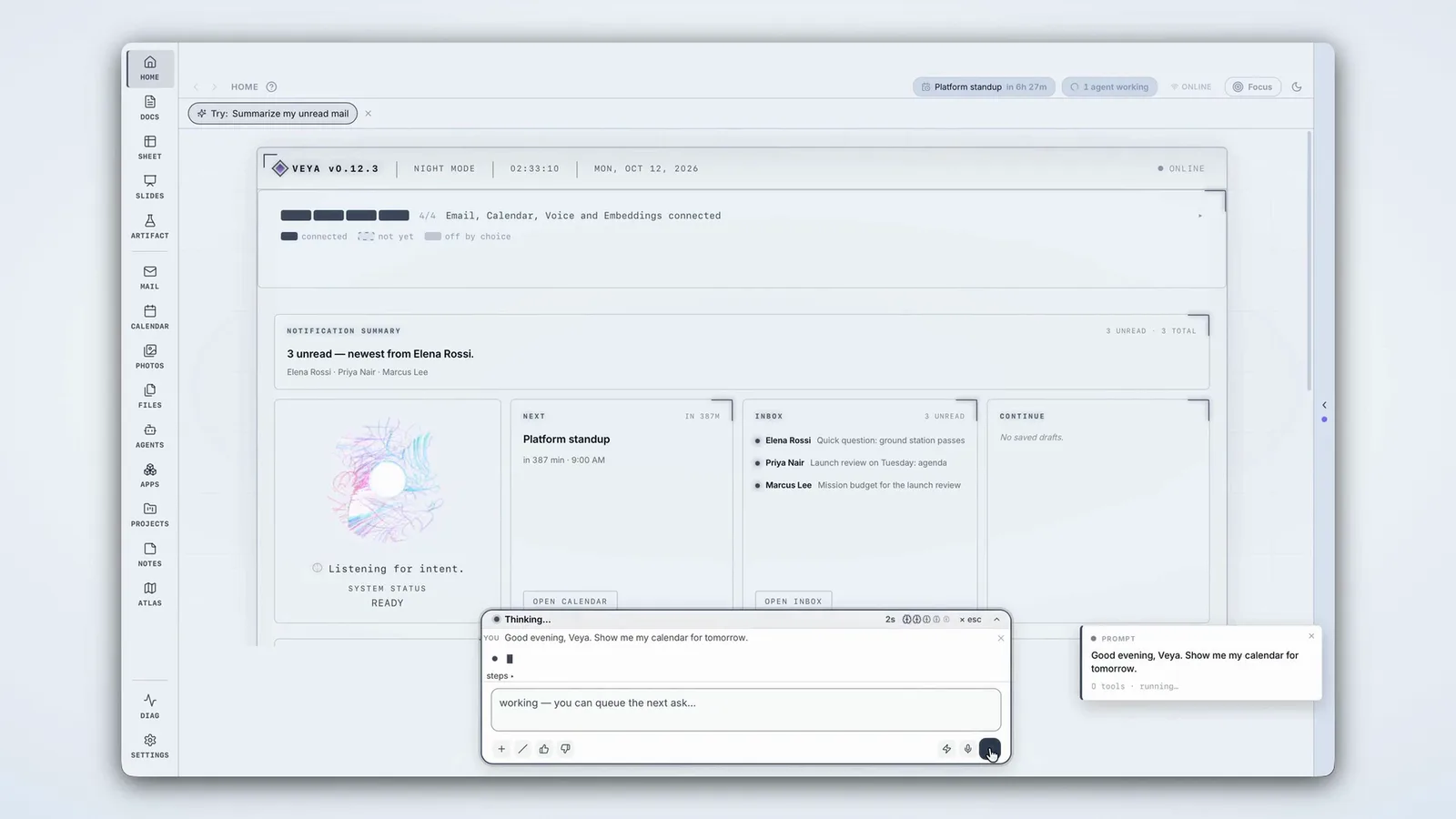
Veya's Home screen: the prompt bar asks 'Good evening, Veya. Show me my calendar for tomorrow' while Home shows unread mail and today's events.

Three ideas run through the whole surface:

Voice or type
One bar drives everything.
The same prompt bar sits on every screen. Every button has a prompt path, so anything you can do with a click, you can do with a sentence, out loud or typed.
Agents built in
Agents do the multi-step work.
Run, chat with or schedule an agent from the Agents canvas. Install agents and MCP apps from Vera, or bring your own. Every tool call shows in the activity log.
Local-first
Your data on your disk.
Notes, mail, docs, photos and the search index live on your machine. Projects are plain folders. Unplug and keep working.
02 · reply ready
Your inbox, with the replies already drafted.
Veya reads your email, works out what needs an answer, and drafts the reply, with the report or document attached when the email asks for one. You read it, edit it if you want, and send.
Expand →

Most of the work in an inbox is not reading. It’s the reply: finding the numbers, writing the summary, attaching the file. Reply Ready does that part.

Drafted
The reply is waiting.
Emails that need an answer arrive with a draft ready, written from the thread and your own files.
Attached
The work comes with it.
Asked for a report? Veya writes it and attaches it to the reply.
Yours
Nothing sends without you.
Every draft opens in a card right where you are. Edit it, ask for changes, or send it.
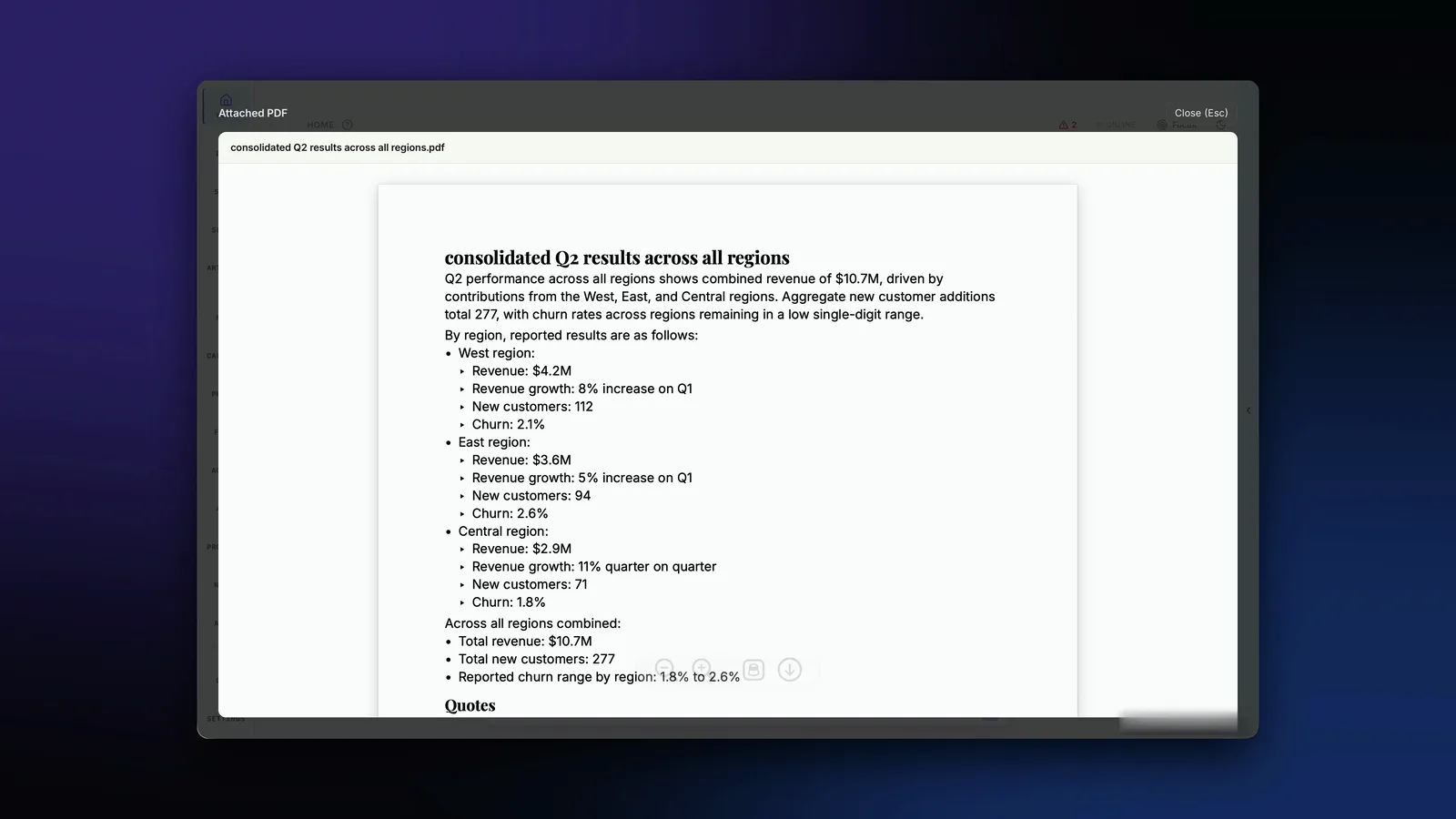
The report Veya wrote and attached to the reply: consolidated Q2 results across all regions, with revenue and customers by region.

Gmail is the first mail integration. More providers follow. Watch Reply Ready.

03 · produces the work
Ask for the doc. Get the doc.
The architecture doc, the weekly report, the investment memo, the deck. Veya writes it in Docs, Sheets or Slides, and publishes it when you say so.
Expand →

Veya’s canvases are where the work lands: Docs, Sheets, Slides, Mail, Calendar, Notes, Photos, Files, Projects, Agents and Apps, all driven from the same prompt bar.

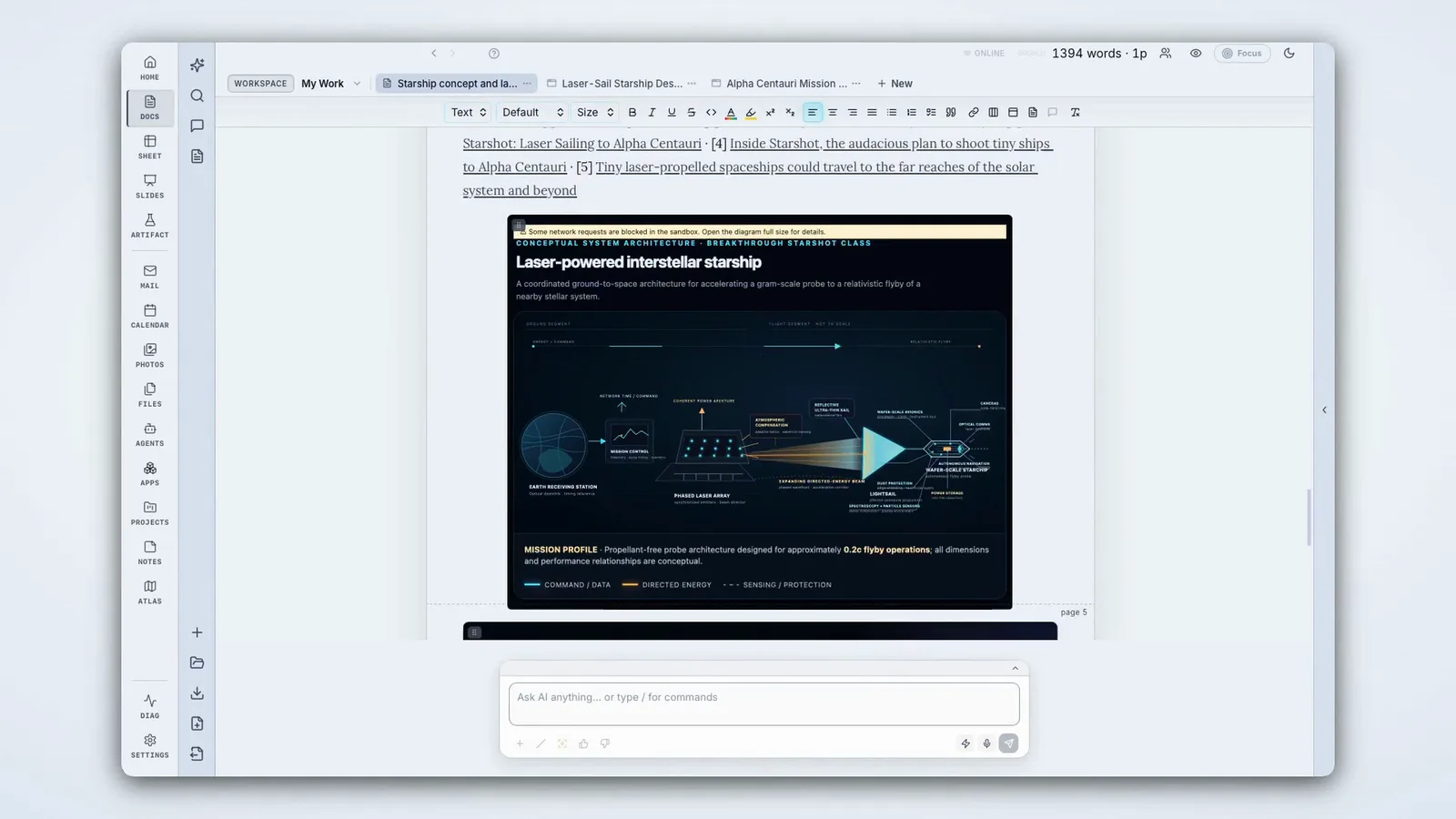
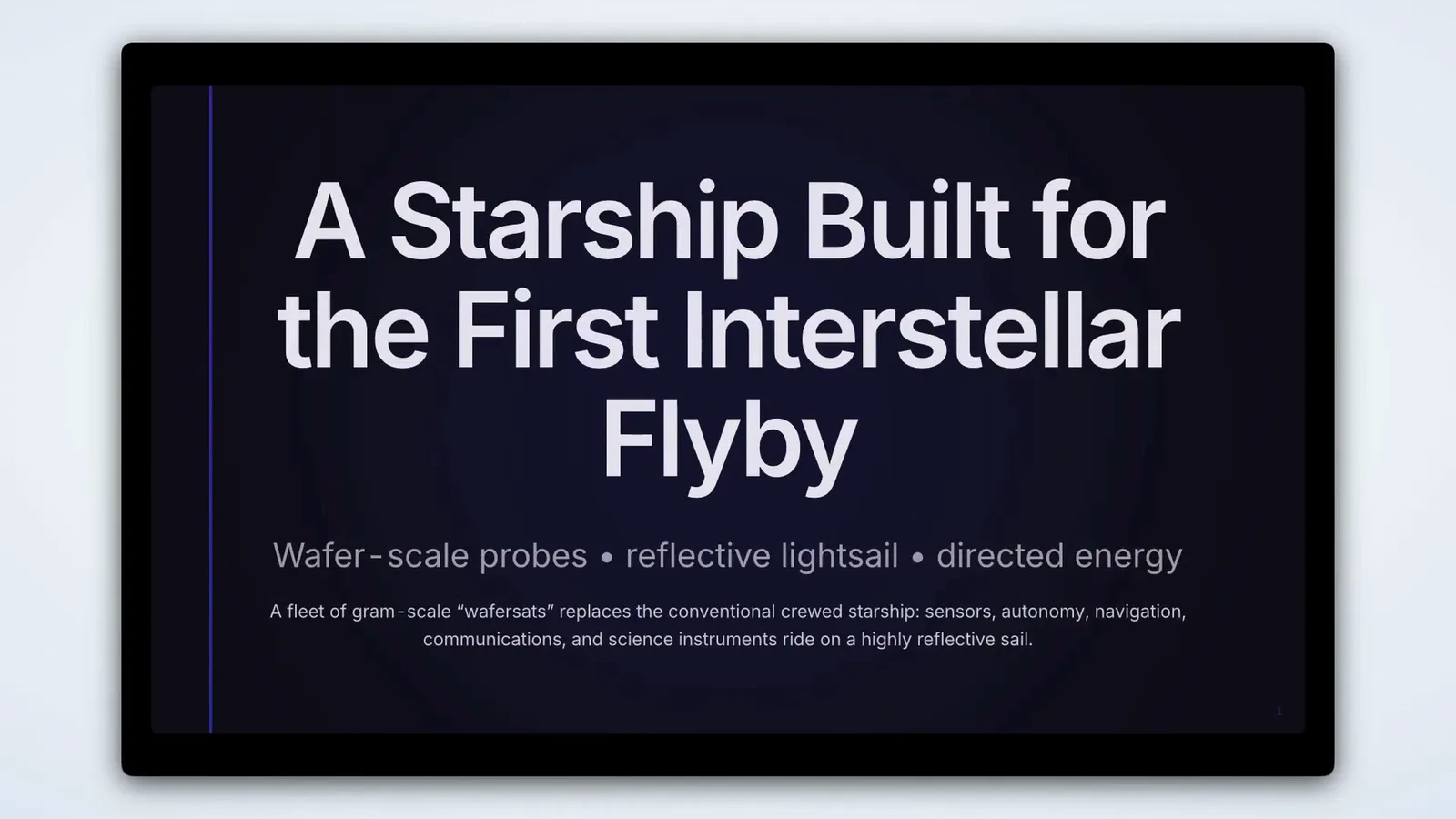
A Veya doc with a generated architecture diagram of a laser-powered interstellar starship. A slide Veya generated: A Starship Built for the First Interstellar Flyby.
A project on disk
/Users/you/Veya Projects/Inference-Market-Analysis/source.md
Inference-Market-Analysis · investment-committee memo · 12 sections
01. Executive Summary 07. Business Model & Pricing 02. Investment Thesis 08. Competitive Landscape 03. Market Size & Dynamics 09. Risks 04. Product 10. Deal Terms 05. Team 11. Recommendation 06. Traction & Metrics 12. Sources

Each section can be researched, edited and validated on its own. The file underneath is plain Markdown, readable outside Veya.

Any model, through Vera

Every model call goes through Vera. Use a frontier API, a model on your own machine, or your team’s fine-tune. The workspace doesn’t change when the model does.
04 · private by design
It knows you. No one else has to.
Your mail, docs and files stay on your disk, in files and databases you can open yourself. Veya can run fully local, and AI changes come to you to accept, reject or edit.
Expand →

The more an assistant knows about you, the more useful it is, and the more it matters where that knowledge lives. In Veya, it lives on your machine.

The files Veya keeps
~/Library/Application Support/app.veya.editor/docs.sqlite3
~/Library/Application Support/app.veya.editor/mail.sqlite3
~/Library/Application Support/app.veya.editor/notes.sqlite3
~/Library/Application Support/app.veya.editor/photos.sqlite3
~/Library/Application Support/app.veya.editor/index.sqlite3

Open any of them in sqlite3. If Veya disappears tomorrow, your data does not.

The model proposes. You commit.

AI changes come with accept / reject / edit before they touch your files. Point Veya at local models and it runs fully on your machine.

Design partner program

We’re looking for design partners.

Productivity pilots, now open

Bring a workflow, like an IC memo, a weekly report or a customer-research pipeline, and shape Veya around it. Free during the program, with a direct line to the founder.

Gutenberg's press was portable. Any workshop in Europe could set one up and print. That is why it won.
— Veya is that press. Sozenta prints on it every day.